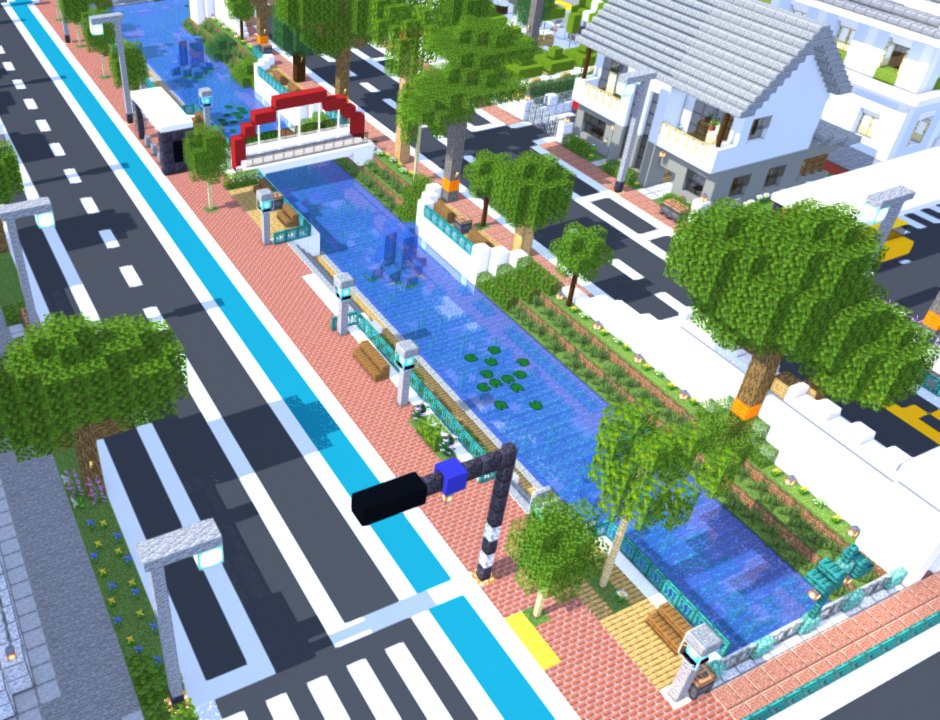
Nova in active development
In active development since July 2026Windows, C++ and Direct3D 12

Animate simply. Render beautifully.

Nova is a native 3D animation app for character animators, from blocky Minecraft-style rigs today to imported 3D models, now in development. It keeps animating simple, renders with a modern Direct3D 12 engine, and opens your existing Mine-imator projects.

Native Direct3D 12, built on GTAO, PCSS and image-based lighting.

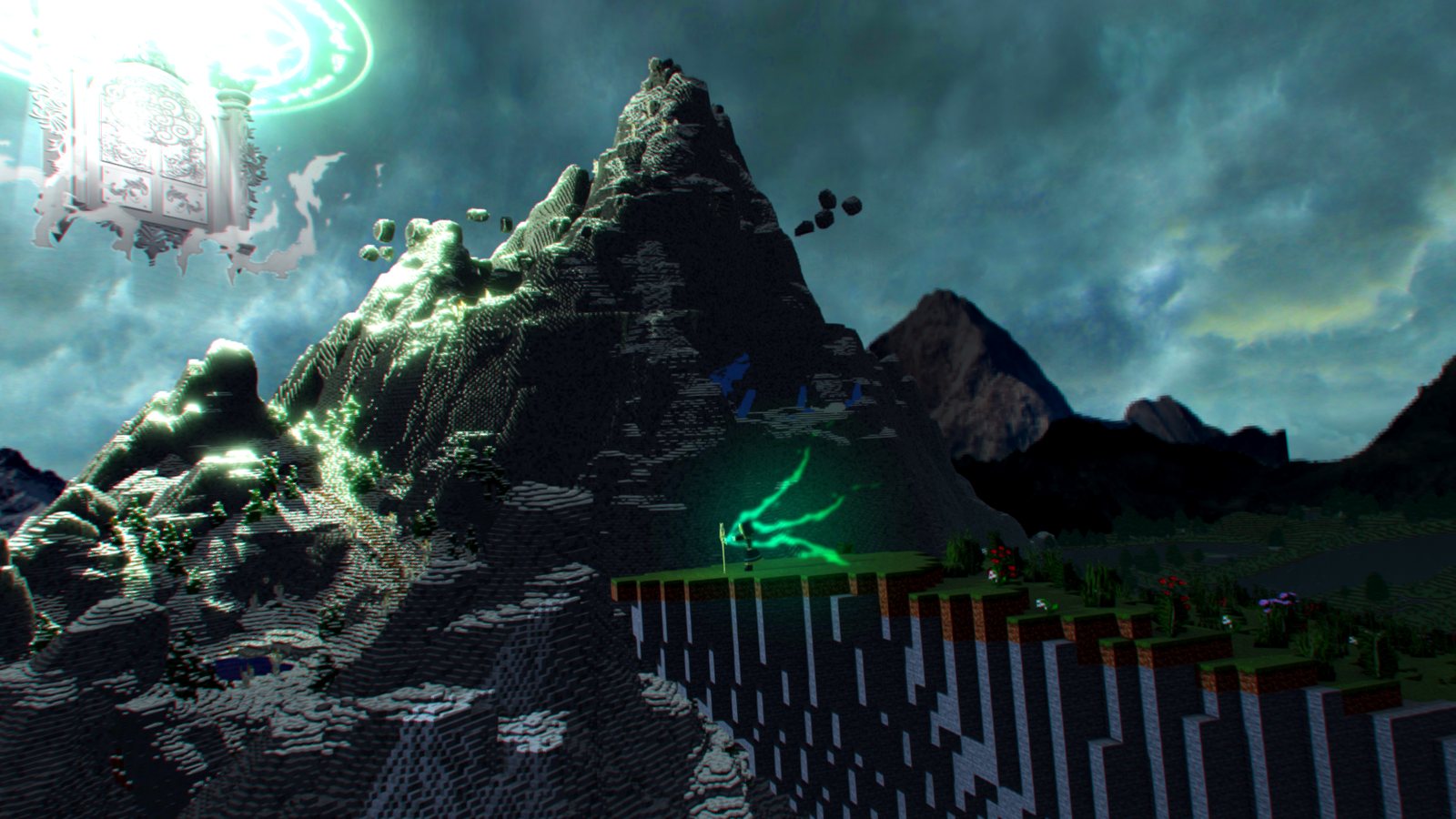
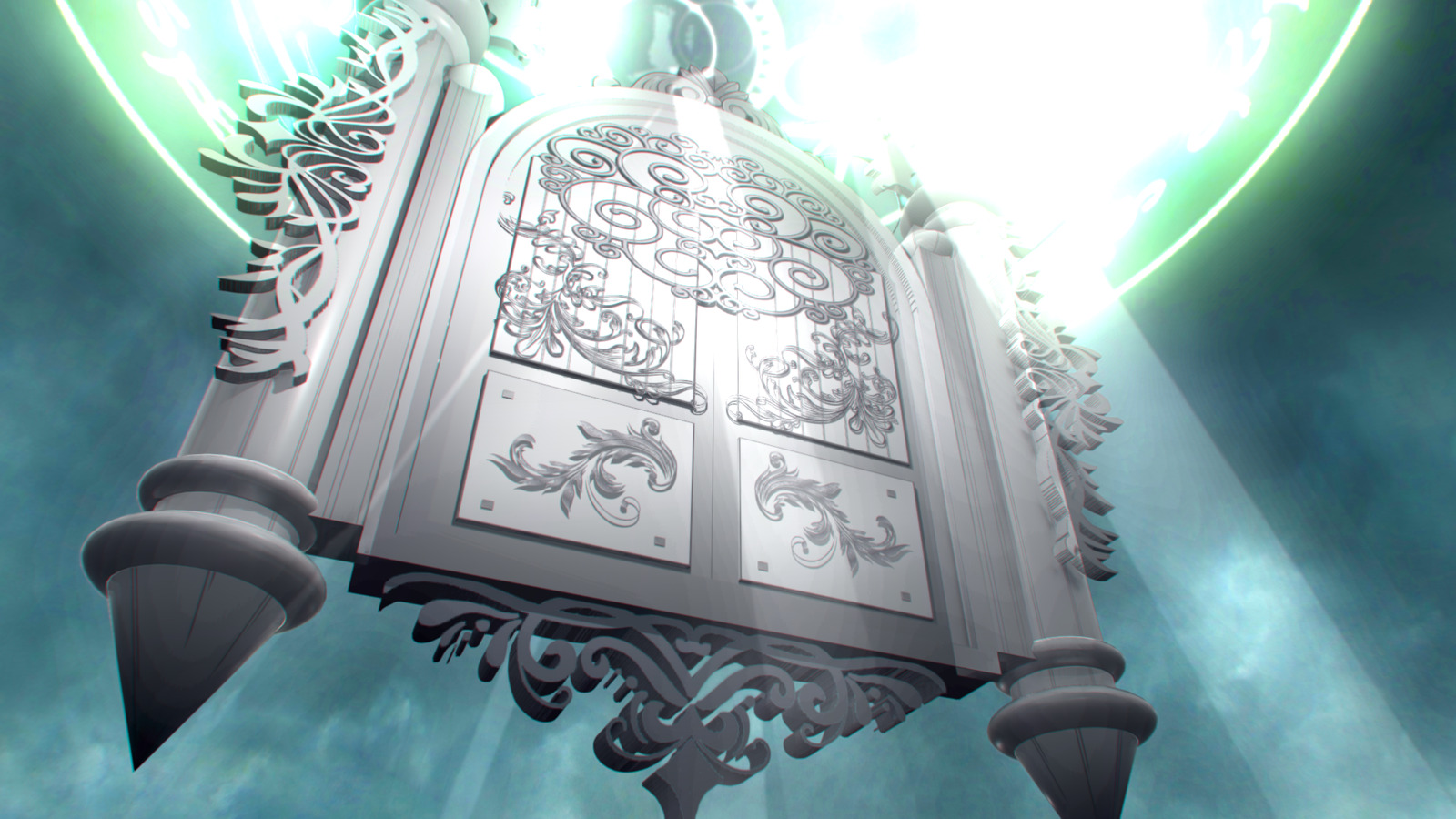
A glowing ruin floats above a stormy voxel mountain at dusk, lit by green spirit light, rendered in Nova
Rendered in a Nova development build, 8 Oct 2026
01

The gap Nova fills

Problem

Animators outgrow their tools

Character animators who outgrow simple block-animation tools hit the same walls: heavy scenes slow down, lighting and reflections run out, and the interface gets in the way on big projects. The usual next step, a general 3D suite, means relearning everything.

Solution

A familiar workflow, a new engine

Nova keeps an approachable way of animating and opens your existing .miproject files, but runs on an engine written from scratch: modern light, shadows, reflections and glow, with render fixes shipped behind a switch that restores the exact old output.

For whom

Character animators and creators

Animators and YouTube creators who make character-driven shorts and series: blocky Minecraft-style rigs today, imported 3D models as that work matures. People who want better-looking frames without the learning curve of a general 3D suite.

02

Inside a Nova frame

Scroll through eight records. Every image was rendered in a Nova development build, and carries its date.

NOVA-01Light and shadow

Light that holds up close

Long, soft sun shadows with clean transitions between shadow cascades: the seams were reduced 9.4 times in August. A self-healing shadow cache survives GPU memory pressure.

NOVA-02Bounced light

Colour that spills onto its neighbours

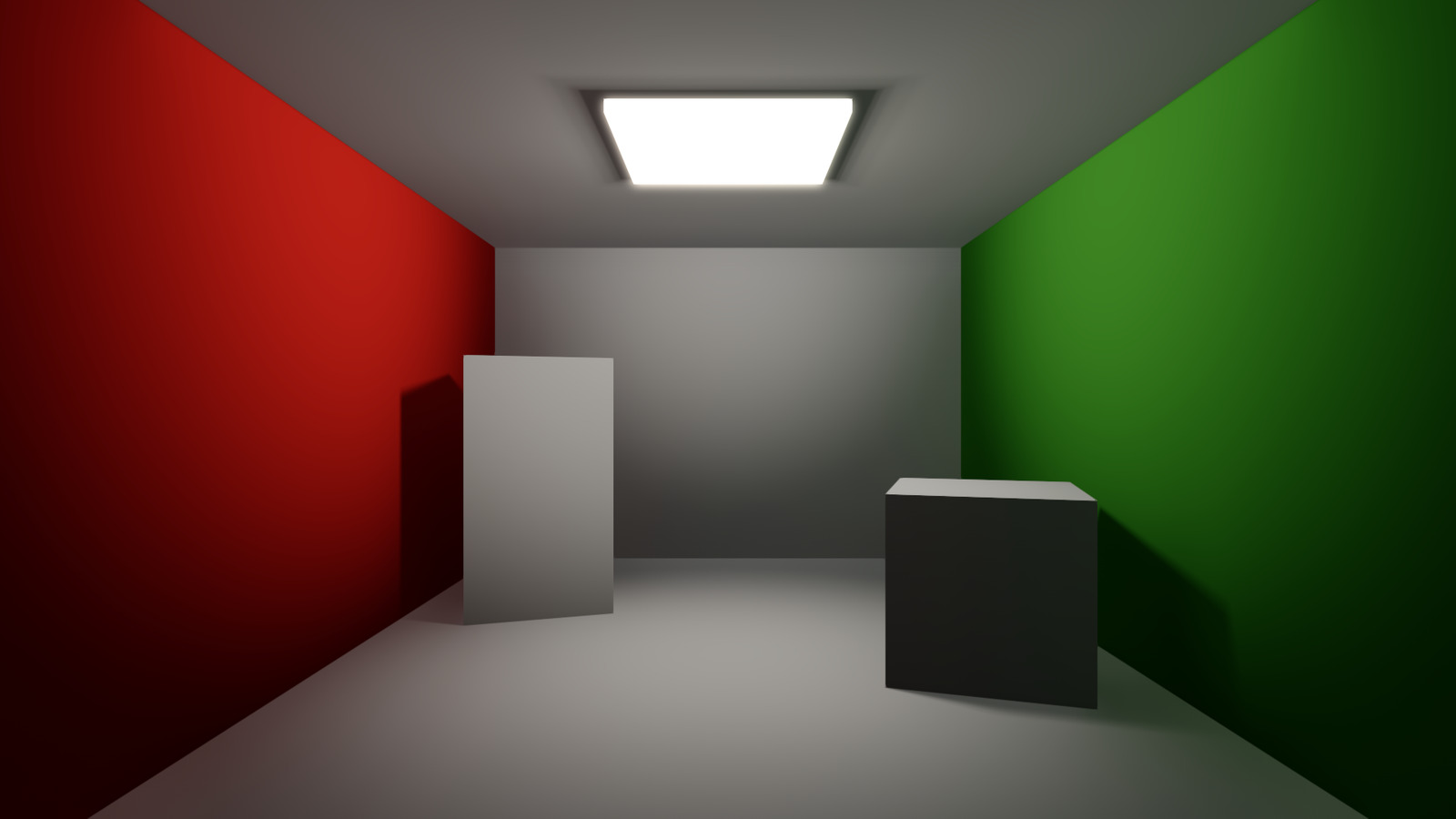
A closed room lit by one ceiling light: ambient occlusion plus global illumination fill the shadows, and the red and green walls tint the ceiling and floor.

NOVA-03Reflections

Mirrors that see the sky

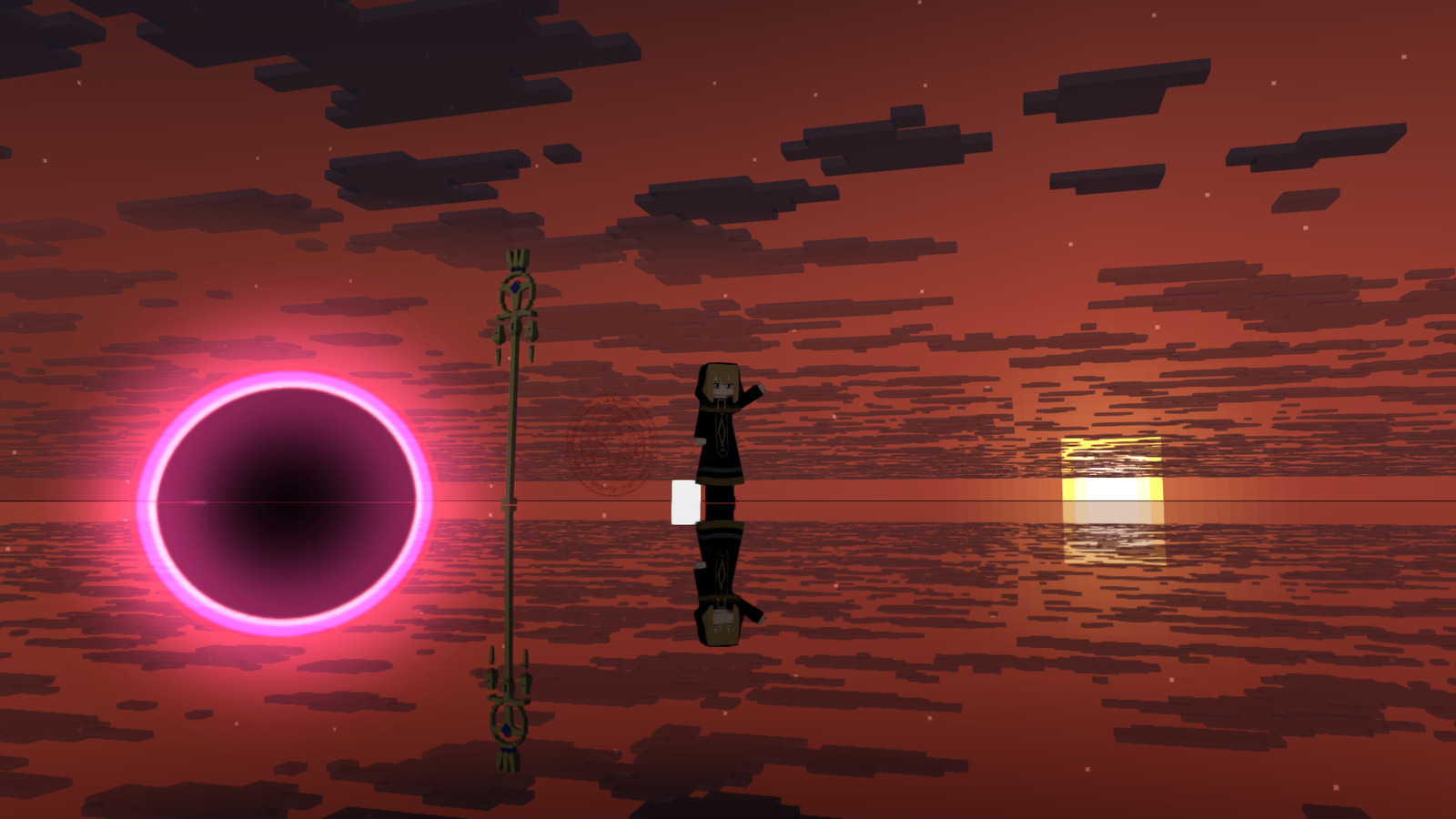
Screen-space reflections and true planar mirrors are on by default, and mirrors reflect the whole sky: sun, moon, stars and clouds.

NOVA-04Sky

God rays, moon and stars

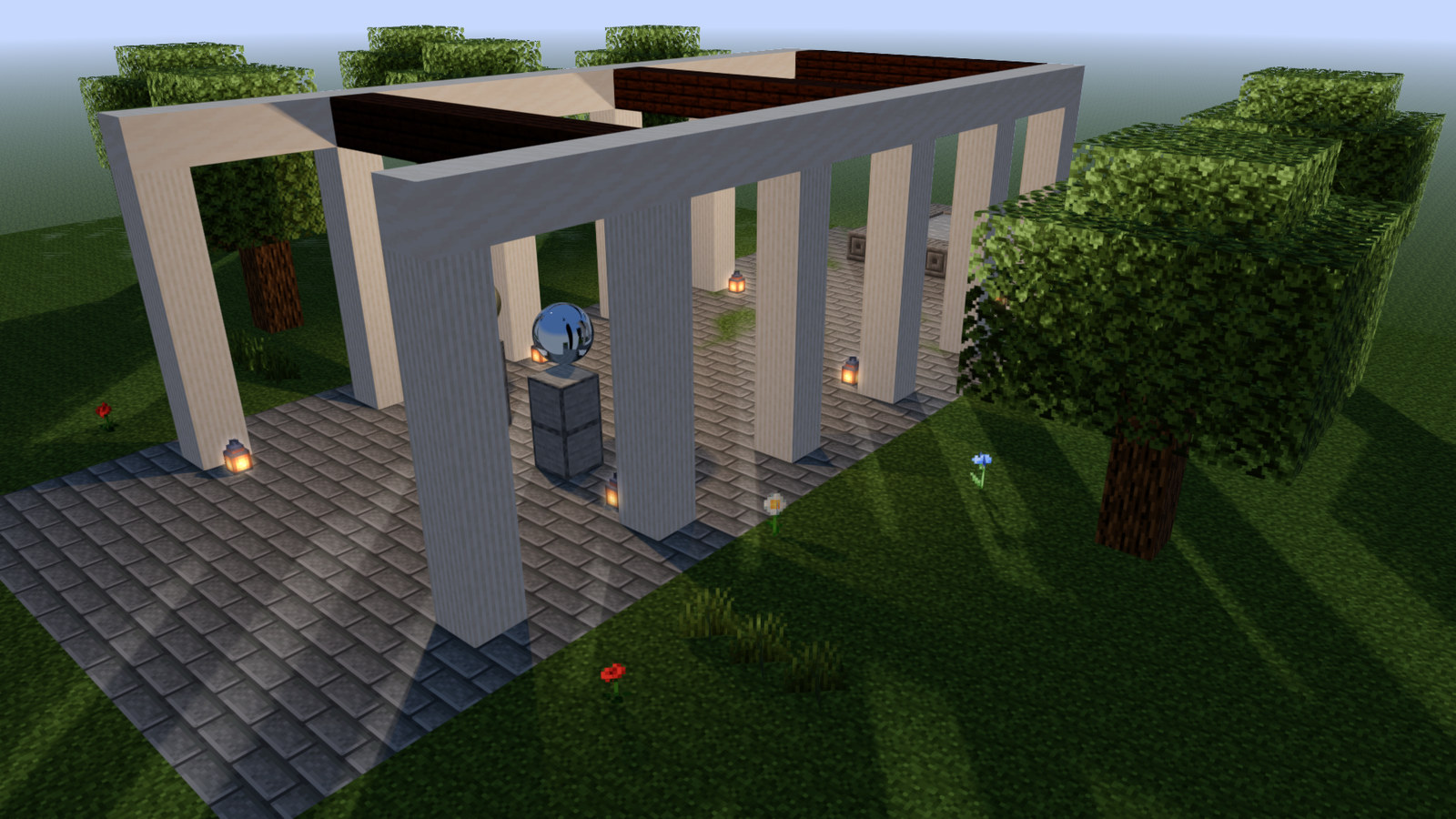
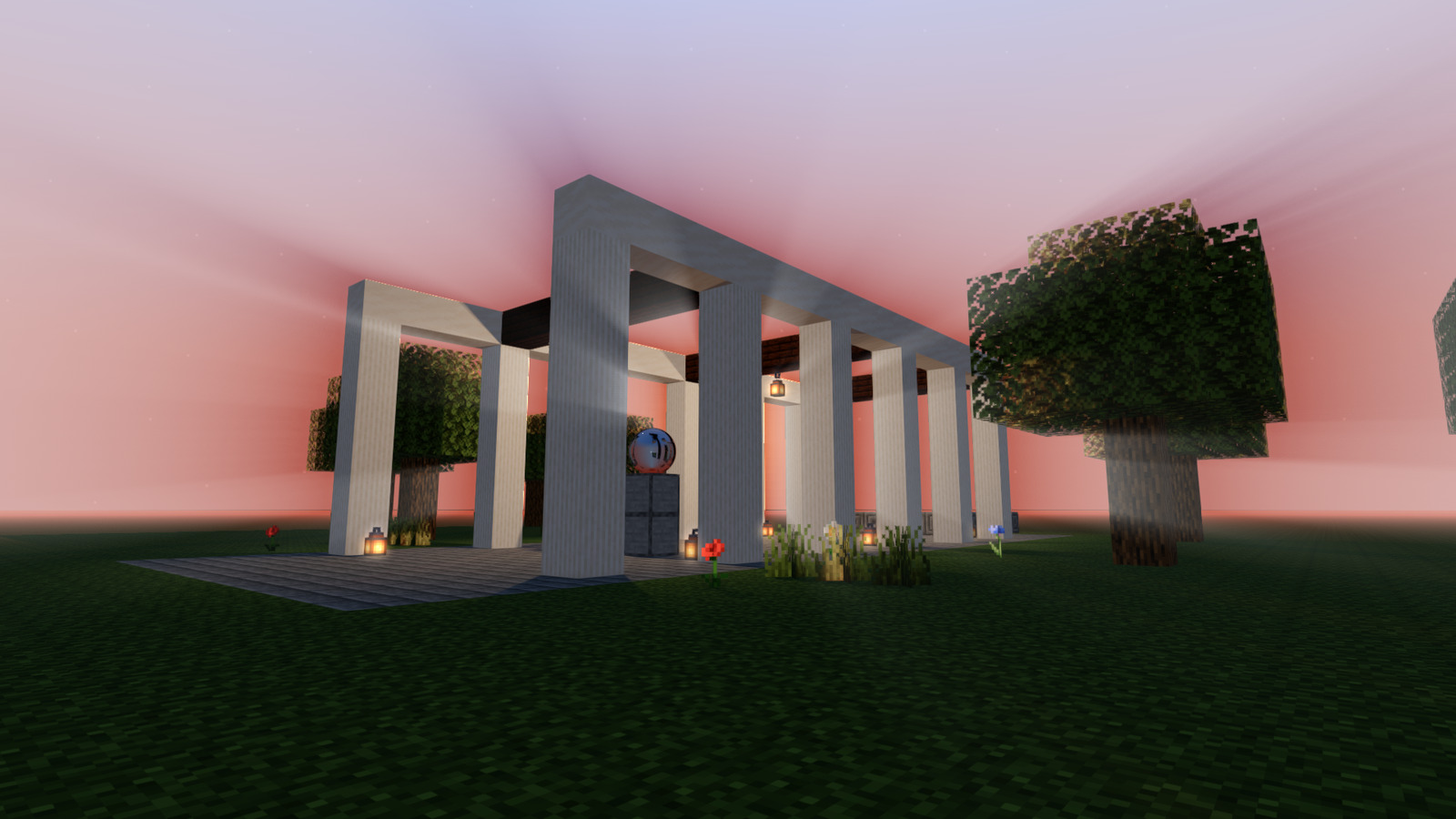
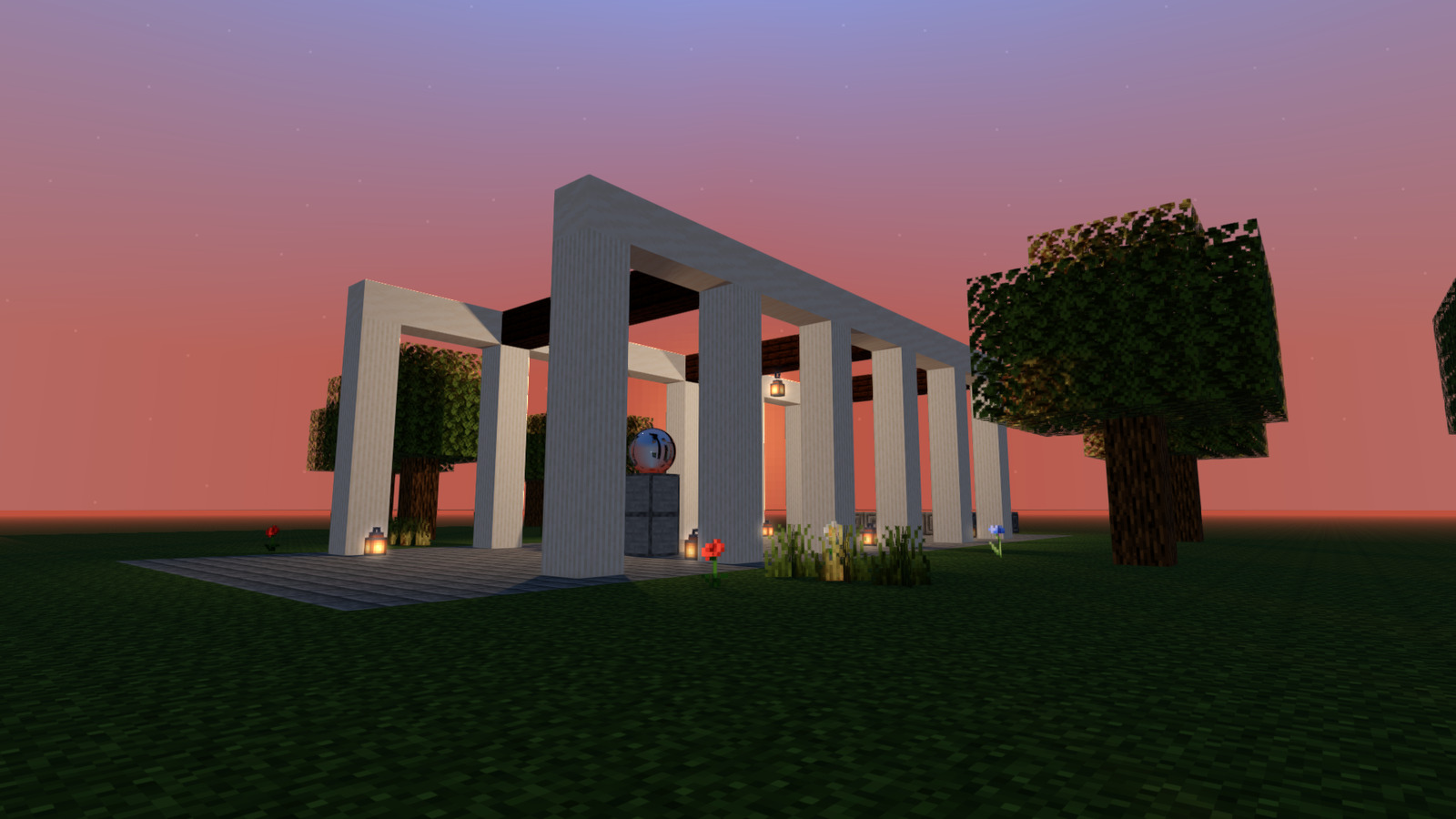
God rays, eight moon phases, stars and a sun disc are live by default. Here a sunset streams through a colonnade.

NOVA-05Glow

Magic that keeps its colour

Glow is built from the scene's real HDR light before tonemapping, so bright highlights such as magic and emissive blocks keep their colour.

NOVA-06Materials

Matte, gloss, metal, glow and see-through

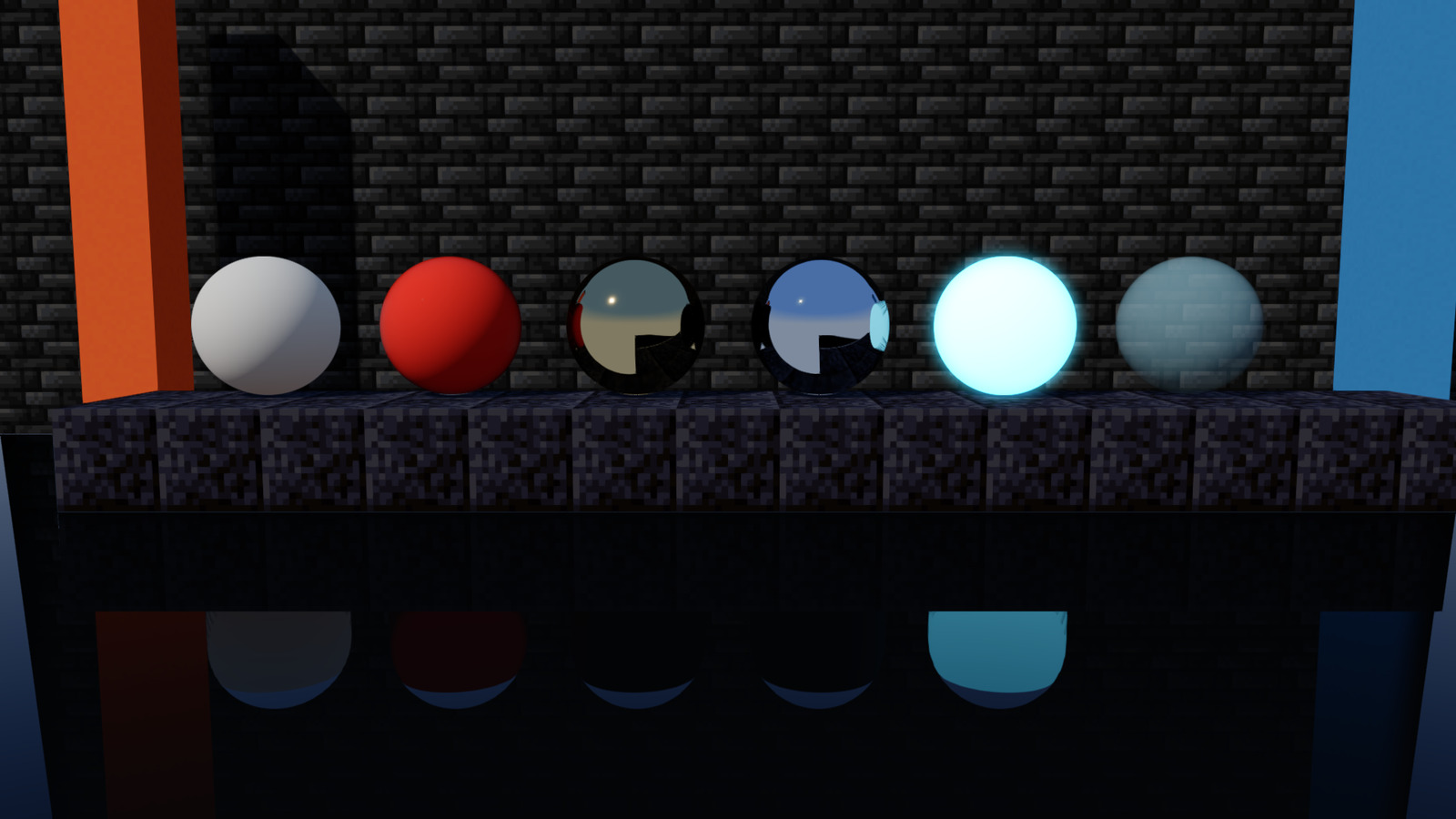
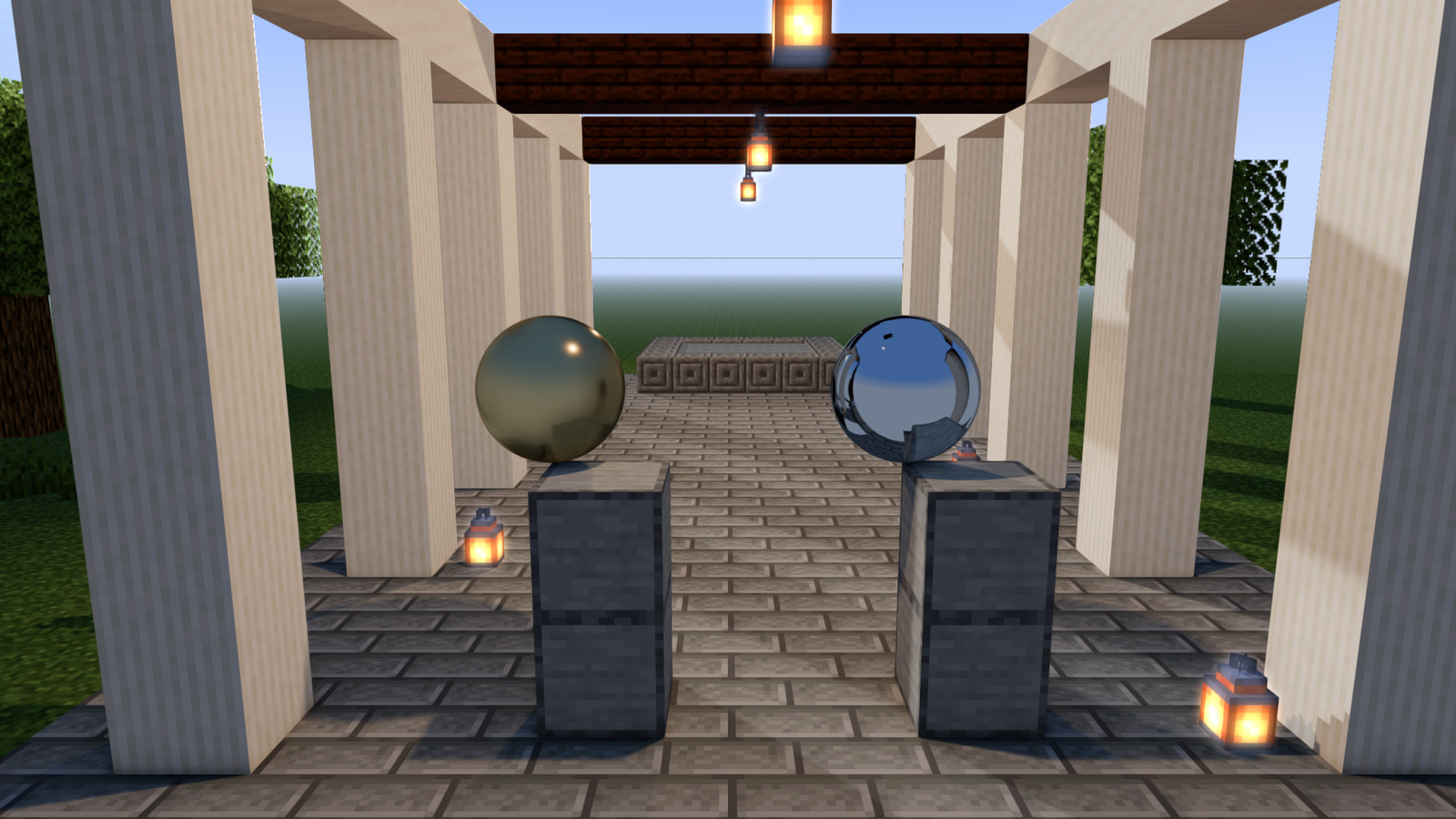
Physically based materials: roughness, metalness, emission and transparency, set per material, all mirrored in a glossy floor. Particle blocks use the material you set too.

NOVA-07Camera and film

A lens, not just a viewport

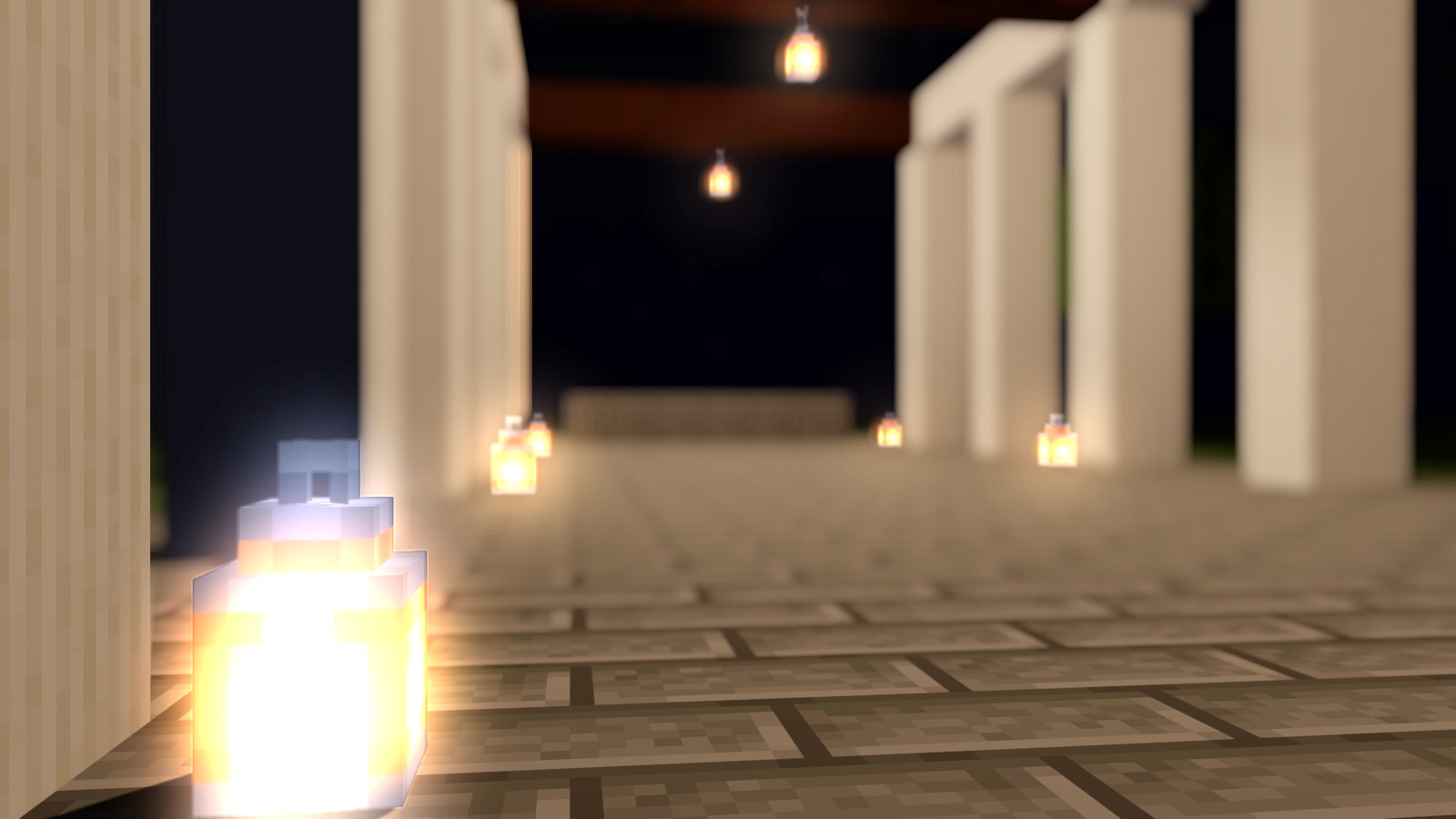
Depth of field, driven by the camera's settings, melts the courtyard lights into soft bokeh. Fine, pixel-sized film grain is on by default.

NOVA-08Your projects

Bring the work you already have

Nova opens your existing Mine-imator projects (.miproject), including older format versions. An older file is upgraded once, then loads without converting again.

03

One frame, layer by layer

Before a pixel is lit, Nova knows which way it faces, how far away it is, and what it is made of.

The same courtyard frame from a Nova development build, shown through developer debug views. Magenta marks the sky, where there is no surface.

The courtyard frame as finished: lit, shadowed and reflecting
The finished frame: lighting, shadows, reflections and glow combined.

Under the hood

Proven real-time techniques in the current development build, all on by default; the tonemapping curve is a per-project option.

Ground-truth ambient occlusion (GTAO)
Soft, accurate contact shading in corners and creases.
Multi-bounce occlusion
Occlusion gives back bounced light, so shadows never turn muddy.
Specular occlusion
Reflections fade naturally inside cracks and corners.
PCSS soft sun shadows
Contact-hardening shadows: sharp near the caster, softer farther away.
Cascaded shadow maps
Sun shadows blended seamlessly from near to far.
Screen-space contact shadows
Every object sits firmly on its surface.
Split-sum image-based lighting
The sky lights and reflects off every material, with GGX-prefiltered reflections.
Spherical-harmonics sky ambient
The sky's ambient light, captured in nine coefficients.
Exponential height fog
Fog that thickens in valleys and thins with altitude.
Screen-space god rays
Shafts of sunlight streaming through gaps in the scene.
Screen-space reflections
Reflections that fade out cleanly instead of glitching.
Planar mirrors
True mirror reflections, rendered from the mirror's own point of view.
Panorama reflections and lighting
When a screen-space reflection misses, Nova reads a panorama of your project's own sky, the same panorama lights the scene, and planar mirrors render the sky too. It shows most with a sky image; with a plain sky it looks like a flat colour.
AgX and PBR Neutral tonemapping
Film-style tone curves, as used in Blender. Available as an option per project.

Recent improvements, now on by default

  • Glowing objects stay glowing inside mirror reflections.
  • Local light shadows refresh correctly when lights are toggled.
  • The preview starts playback fully lit, with no dark flash.
  • The main viewport and the preview each light the scene with the sky they actually show.
  • Reflections stay correct while you scrub the timeline.
  • Particle bursts and their timing come out the same whether you play, scrub or export.
  • No more white fringe around semi-transparent overlays.
  • Lights with their shadows switched off still light the scene.
  • Contact shadows respect each object's shadow settings.

What it does not do yet

  • Reflections do not capture off-screen objects yet. When a reflection misses, only the project's sky is used.
  • Bounced light captured from the surrounding scene (a dome probe) is experimental and off by default.
  • Several approved fixes are built but stay switched off until their batch switch-on. They are listed on the roadmap under "Coming next".
04

Why Nova

Measured, not promised. Every number comes from the dated patch notes and the project history.

6

Six features, shown off and on

A native Direct3D 12 engine built on GTAO, PCSS soft shadows and image-based lighting. Shadows, bounced light, god rays, depth of field, glow and backlit leaves are each rendered off and on in the gallery.

12.8→0

Scrubbing never waits on the GPU

Milliseconds of CPU stall per frame while scrubbing the timeline. Measured in August 2026 on a dev build.

48%

Faster preview playback

Scrubbing got 58% faster and shadow cost per frame fell 93% in the same round of work. Measured in August 2026 on a dev build.

10,700

A codebase kept in order

The main source file was split into modules, from 77,072 lines to about 10,700, and GPU debug-layer errors on the test scenes went from 3,885 to 0.

84/84

Product tests pass on every merge

Every merge runs the full product test suite, and render fixes ship with a switch that restores the exact old output.

22

Deterministic exports

In 22 headless test cases, the same frame came out byte-identical across separate runs. And Nova opens your existing Mine-imator projects, including older format versions.

3,000+engine commits
1,300+merges into main
22,000+automated checks
Jul 2026first commit, 2 July
05

One setting, off and on

Sunset light through a colonnade. Drag the handle, or focus it and use the arrow keys.

Both frames come from the same demo scene and camera, rendered by Nova. Only the god rays setting changes. The gallery has the same kind of check for shadows, bounced light, depth of field, glow at night and backlit leaves.

God rays off: the colonnade at sunset with plain, clear air
God rays on: shafts of sunset light stream between the columns
OffOn
Courtyard demo scene, rendered in a Nova development build, 8 Oct 2026.
06

Everything in the dev build

What works today, what is experimental and switched off by default, and what is planned. None of it is a release date.

CoreAvailable now

Native engine

A native C++ engine on Direct3D 12, built from scratch.

CoreAvailable now

Opens your existing projects

Opens existing Mine-imator projects, including older format versions. An older file is upgraded once, then loads without converting again.

RenderAvailable now

Shadows

Long, soft sun shadows with clean cascade transitions (seams reduced 9.4 times), and a shadow cache that heals itself under GPU memory pressure.

RenderAvailable now

Bounced light

Ambient occlusion plus global illumination: light bounces around a room, fills the shadows and carries the colour of nearby walls.

RenderAvailable now

Reflections

Screen-space reflections and true planar mirrors, on by default. Mirrors reflect the whole sky: sun, moon, stars and clouds.

RenderAvailable now

God rays, moon and stars

God rays, eight moon phases, stars and a sun disc, live by default.

RenderAvailable now

Glow

Glow built from the scene's real HDR light, so bright highlights keep their colour.

RenderAvailable now

Physically based materials

Metalness, roughness, emission and transparency per material. See-through materials blend; they do not bend light.

RenderAvailable now

Leaves that let light through

Subsurface scattering: sunlight glows through backlit leaves.

RenderAvailable now

Depth of field and film grain

Depth of field with soft bokeh, driven by the camera's settings, and fine pixel-sized film grain, on by default.

RenderAvailable now

Tonemapping options

AgX and PBR Neutral are available as options, and Nova's AgX was checked against Blender's on a test set.

RenderAvailable now

Clean transparent textures

Semi-transparent textures composite without washed-out ghosting. On the test frame, the error against the reference fell from 15.12 to 10.66.

RenderAvailable now

Multi-sample renders

Multi-sample renders average real light, not graded pixels.

AnimationAvailable now

Picture-in-picture preview

A preview window with Shaded, Half, Full and Render modes that honours your sample count: 1, 4, 16 or 64.

AnimationAvailable now

Keyframes across characters

Copy keyframes from one character and paste them onto another, matched by part name.

AnimationAvailable now

Deterministic particles

Particle bursts and their random frames come out the same whether you play, scrub or export.

CoreAvailable now

Deterministic exports

In 22 headless test cases, the same frame came out byte-identical across separate runs.

CoreAvailable now

Fast scrubbing

Scrubbing never waits on the GPU: the CPU stall went from 12.8 ms to 0. Preview playback got 48% faster and scrubbing 58% faster (August 2026).

CoreAvailable now

Kind to your GPU

An automatic video-memory budget, so smaller GPUs scale back instead of crashing, and a frame cap that keeps the GPU cool while Nova sits in the background.

CoreAvailable now

Safe saving and exports

Saving runs in the background and only says "saved" once the file is really written, and an export never reports success when its final write failed. Settings live in one folder, with a portable mode.

CoreAvailable now

Safe with heavy content

Huge resource packs load safely, oversized render sizes are clamped, and broken or oversized skins and world files are refused instead of crashing.

CoreExperimental

Timed backups and crash recovery

Built and switched off by default for now.

InterfaceExperimental

A redesigned interface

Teal themes and cleaner panels, landing behind a switch.

AnimationExperimental

3D model import

GLB, glTF and OBJ models with rigs and animation, behind a switch and paused for now. Imported characters move part by part; smooth skinning is planned.

AnimationExperimental

AI animation assistant

A separate tool lets an AI assistant such as Claude edit a project's animation file through 18 typed tools.

RenderExperimental

One render path for every project

Projects saved with the older basic engine setting would use the same full-quality path as everything else. Approved, not yet switched on.

RenderExperimental

Dome probe bounced light

Bounced light captured from the surrounding scene, including off-screen geometry. Off by default and still under visual review.

AnimationPlanned

Live AI bridge

The assistant working inside a running Nova session.

AnimationPlanned

Smooth skinning

Imported characters that bend at the joints.

RenderPlanned

Scene probe

Reflections and bounced light taken from the real surroundings.

07

Being built right now

Two experimental projects running next to the render work. Both are switched off or separate for now.

Screenshots follow the switch-on

A calmer interface

Experimental: a redesigned interface with teal themes and cleaner panels lands in the main build piece by piece, behind a switch. Screenshots will appear here once it is switched on.

Illustration: an assistant placing keyframes on a timeline next to hand-placed ones Body Head Arm L Arm R Legs Illustration, not a screenshot

An AI animation assistant

Experimental: an MCP server, a separate tool for now, lets an AI assistant such as Claude edit a project's animation file through 18 typed tools: keyframes, objects, poses, validation and undo. Planned next: a live bridge into a running Nova session.

08

Where Nova sits

Not a Blender replacement. A focused tool for character animators.

Simple block-animation tools made character animation approachable for a generation of creators. Blender can render almost anything, and asks for a steep learning curve in return. Nova aims to be the bridge between them: an approachable workflow with a modern renderer, for blocky rigs today and imported 3D models as that work matures.

Positioning map: ease of learning versus render quality Simple block-animation tools sit at easy to learn with moderate render quality. Blender sits at hard to learn with very high render quality. Nova's goal sits at easy to learn with high render quality. Easier to learn Steeper learning curve Render quality Simple block-animation tools Blender Nova (goal)
The map shows intent, not a benchmark.
NOVA-000Project record
What
Native 3D animation and rendering app for character animators, from blocky Minecraft-style rigs to imported 3D models (in development)
Platform
Windows; native C++ on Direct3D 12
Stage
In active development (dev builds, no public release yet)
Started
2 July 2026 (first commit)
Public record
93 dated milestones and 14 dev builds with patch notes
Made by
DreamZ Studio, Indonesia
Built with
Claude Code and AI tools
09

See it move

A short motion-design tour of Nova: the editor, the timeline, how a frame is built, and export. It is an animated walkthrough, not a live screen recording, and it shows the redesigned interface, which is still experimental.

Demo video in production

A tour of Nova goes here

10

Built with Claude Code and AI tools

Claude Code is the main engineering agent in Nova's codebase.

It works in the C++ editor code, the Direct3D 12 render passes and shaders, the animation system, and the builds and tests, and proves each change before it is merged. DreamZ Studio sets the direction and makes every visual decision by eye.

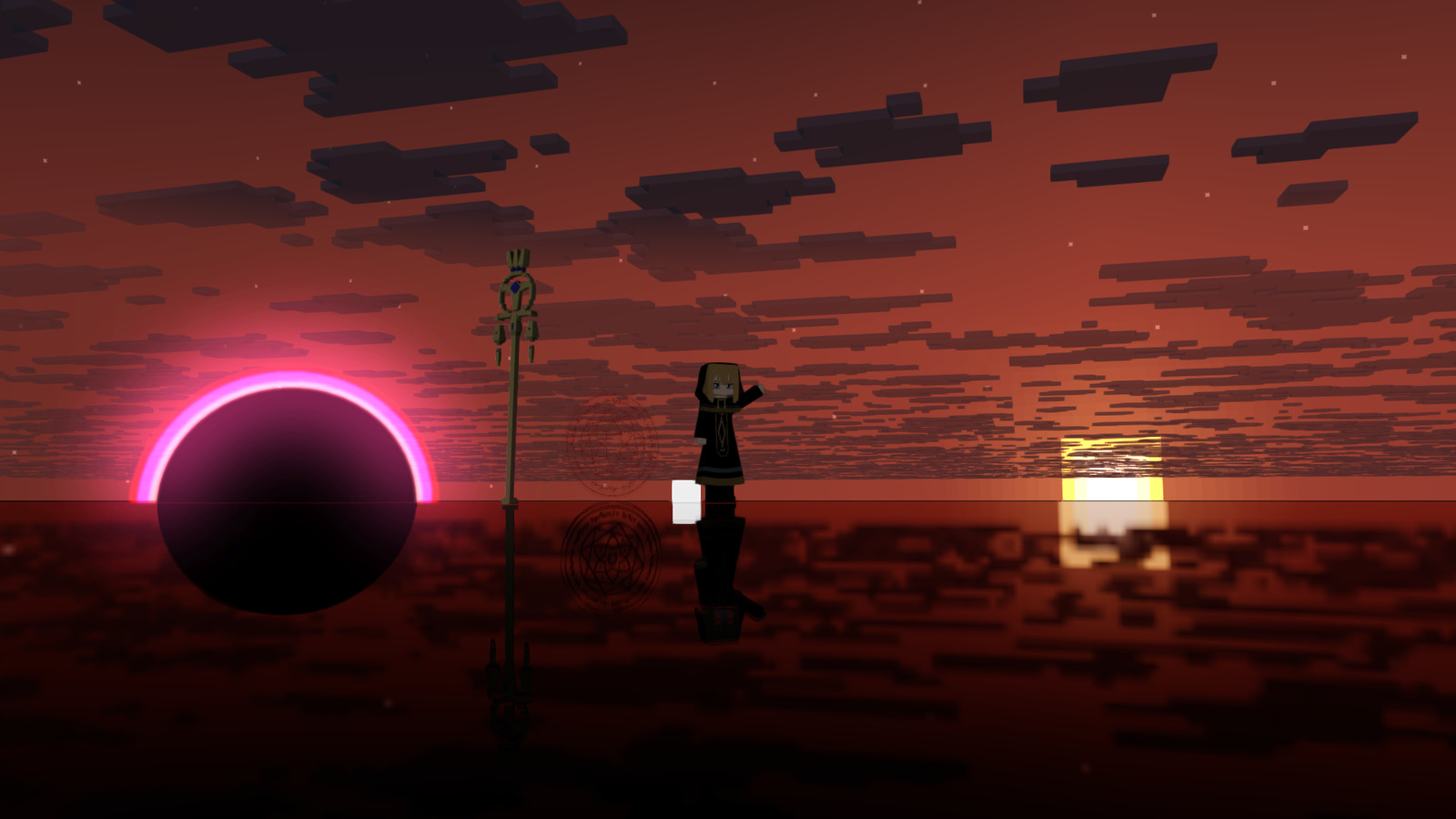
A neon ring hovering over a crimson sunset sea, mirrored in the water, rendered in Nova
Rendered in a Nova development build, 8 Oct 2026